create new ticket
 check ticket status
The image is from Worksheet 2, where each Assessment Task for the Worksheet is accessed by its own tab.
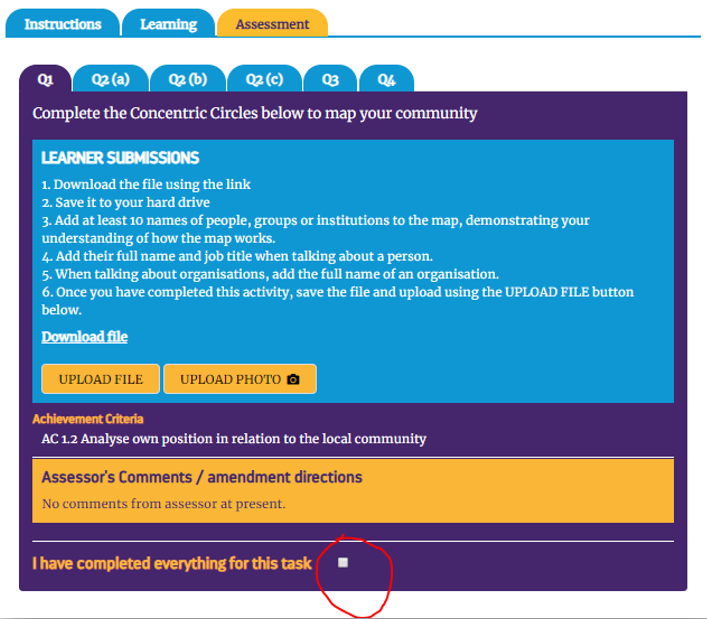
Tick the ‘tick box’
There are different types of assessment task in OPAL. This is explained more in 6) from page 9.
When the Assessment Tasks for the Worksheet are completed, learners need to ‘submit’ their work to be assessed.
NB. Only when ALL Assessment Tasks for the Worksheet are completed, can the work be submitted for assessment. (In the Worksheet pictured opposite, the six Assessment Tasks with a separate tab should be completed before they cab be ‘submitted’ for assessment.)
For example, In tab Q1 in the image, the learner is asked to ‘download’ a document. They then complete the task by amending the document. They then upload the amended document to OPAL using the ‘UPLOAD FILE’ document.
When each Assessment Task is complete, it is important that the small, tick box at the foot of the screen, labelled ‘I have completed everything for this task’ and circled in red in the image, is ticked. If not the Tasks cannot be ‘submitted’.