Assign a RUN ID to a User - OCN
Modified on: Wed, 4 Oct, 2023 at 10:43 AM
Step 1: Click the Learners Tab
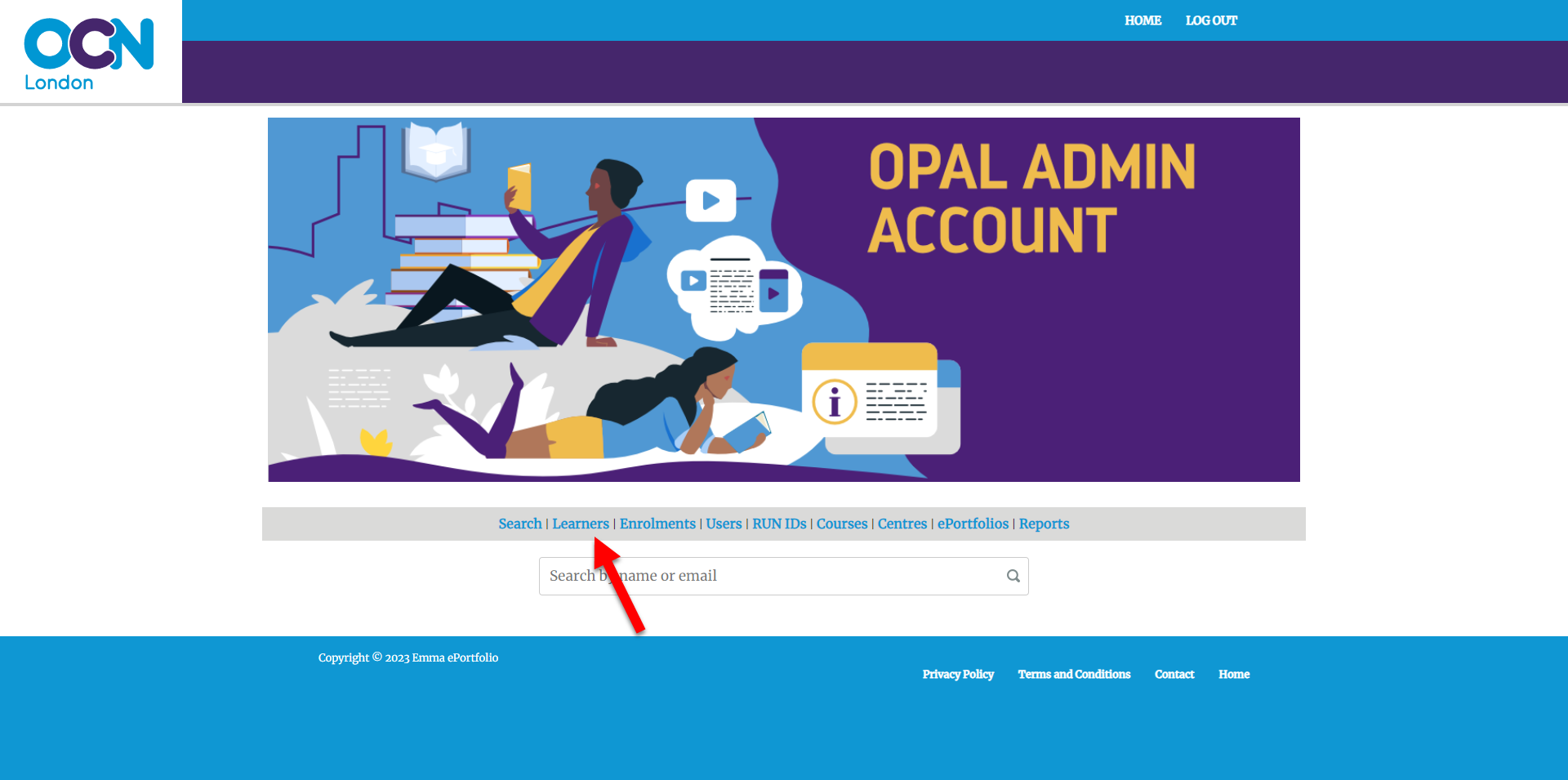
Step 2: Search the User and click the Edit Button
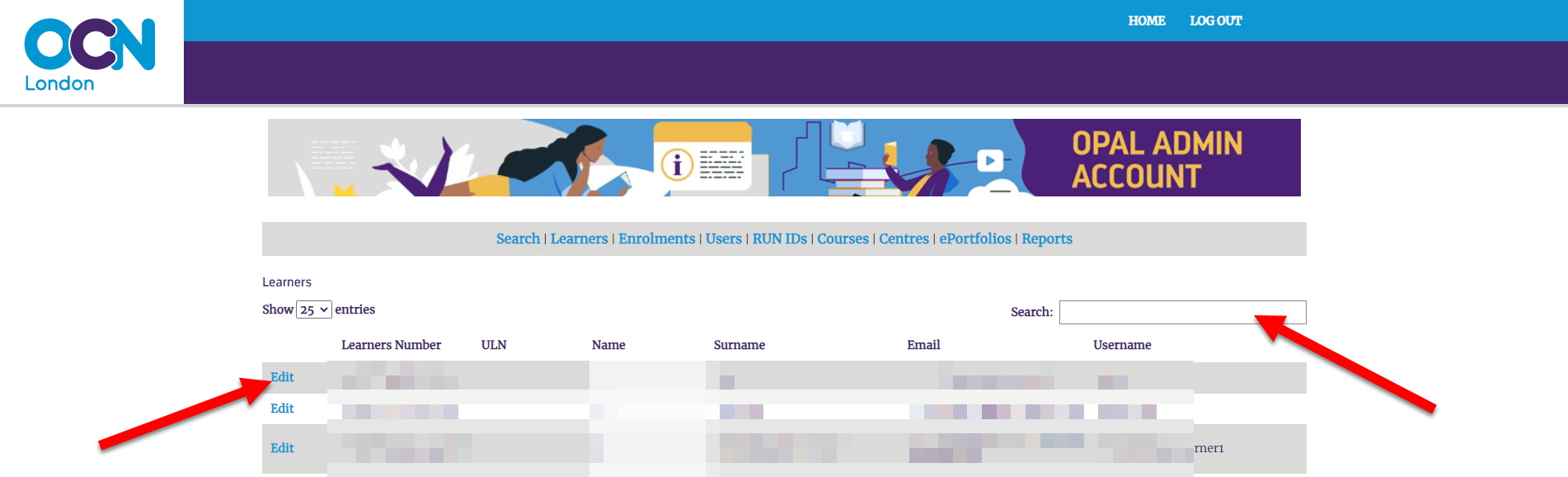
Step 3: Click the RUN ID Drop Down, and click 'Create New'
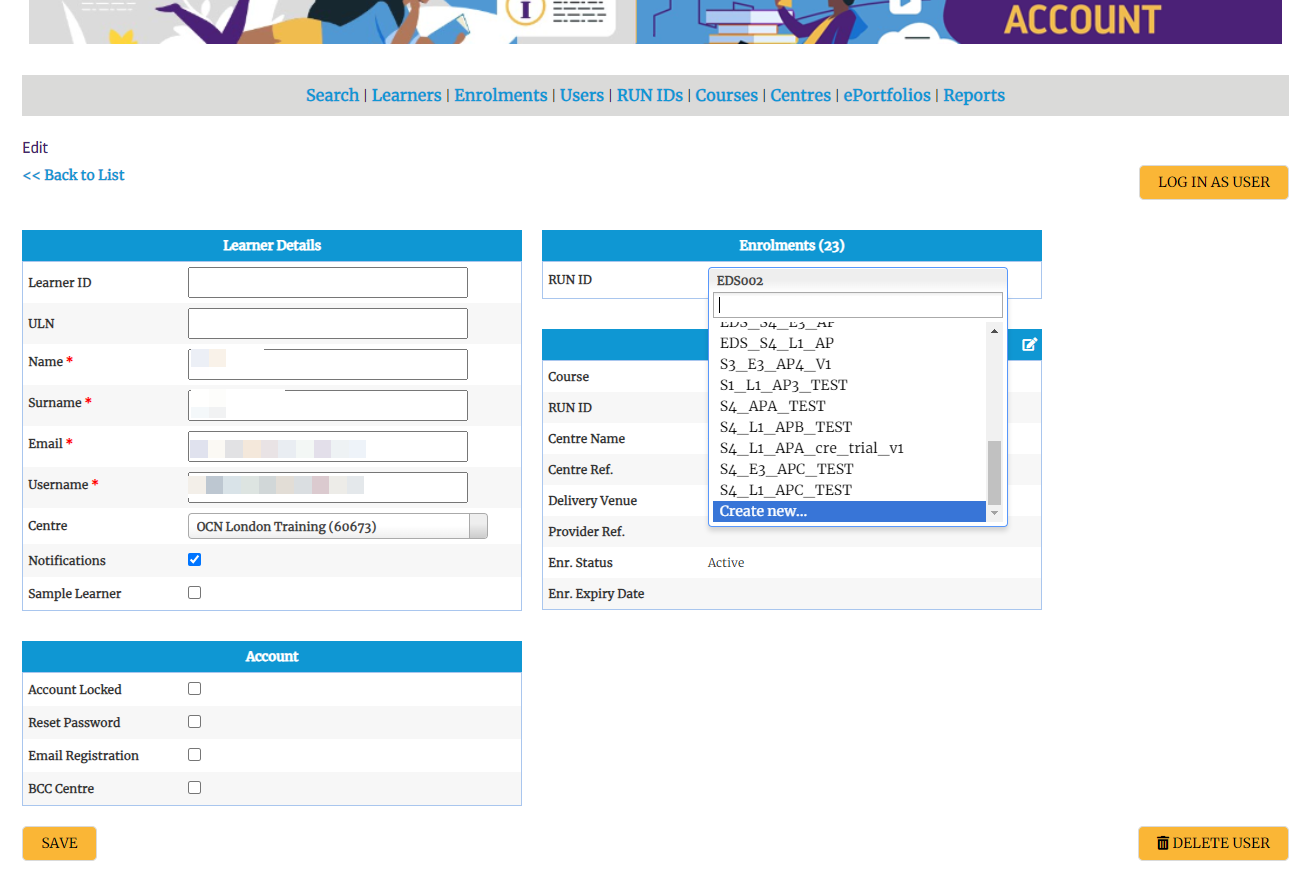
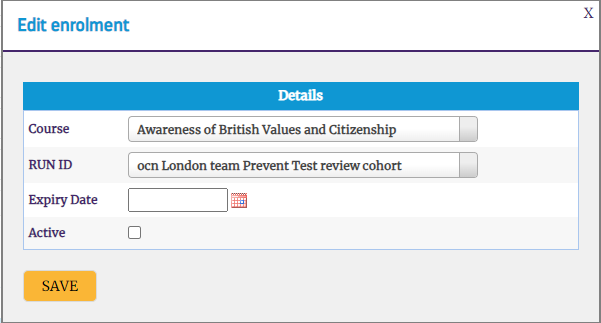
Step 4: Select the Details of the Course, and RUN ID
- Course
- RUN ID
- Expiry Date
- Select Active
- Click Save
Step 5: Click the RUN ID Tab
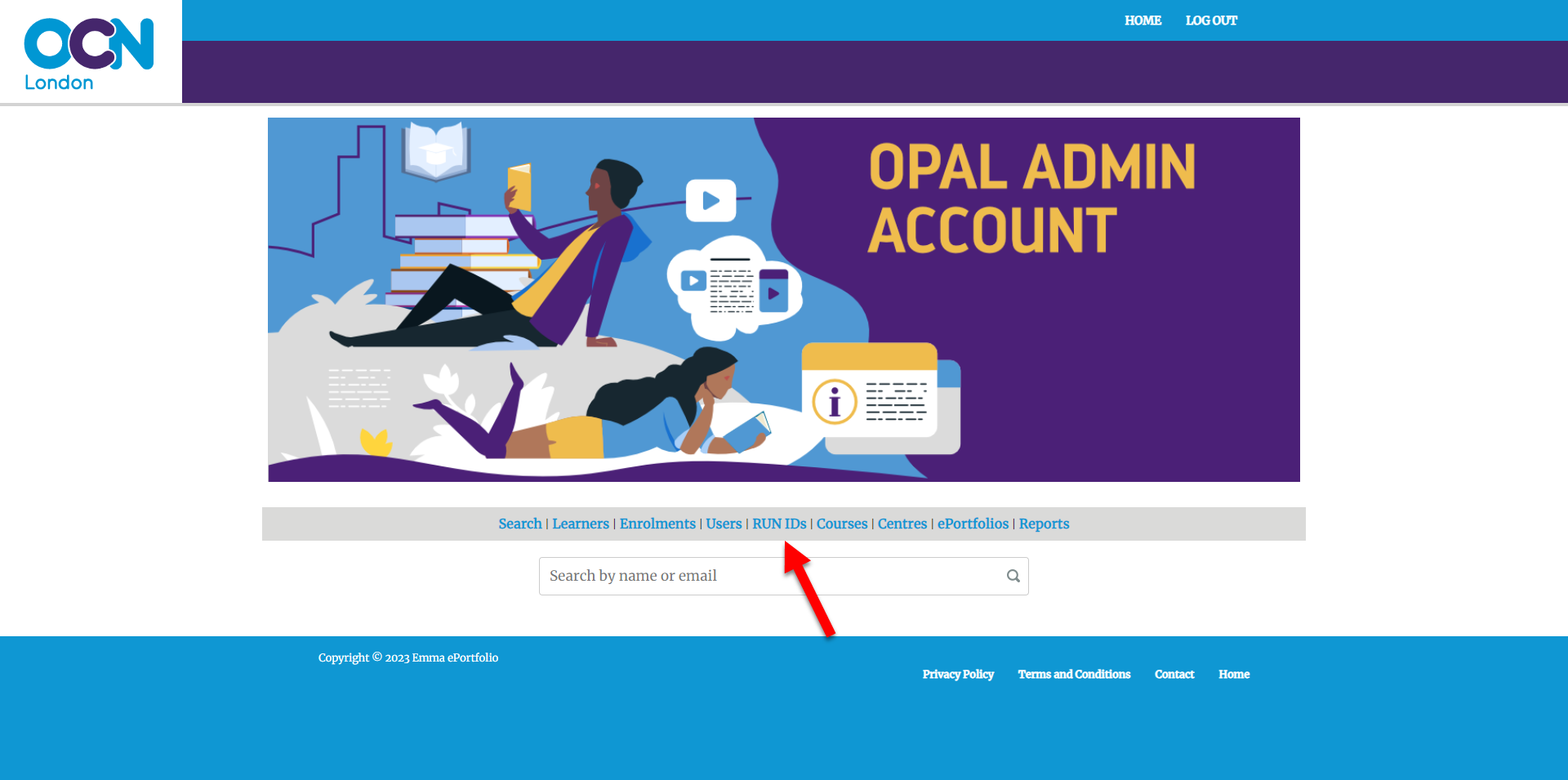
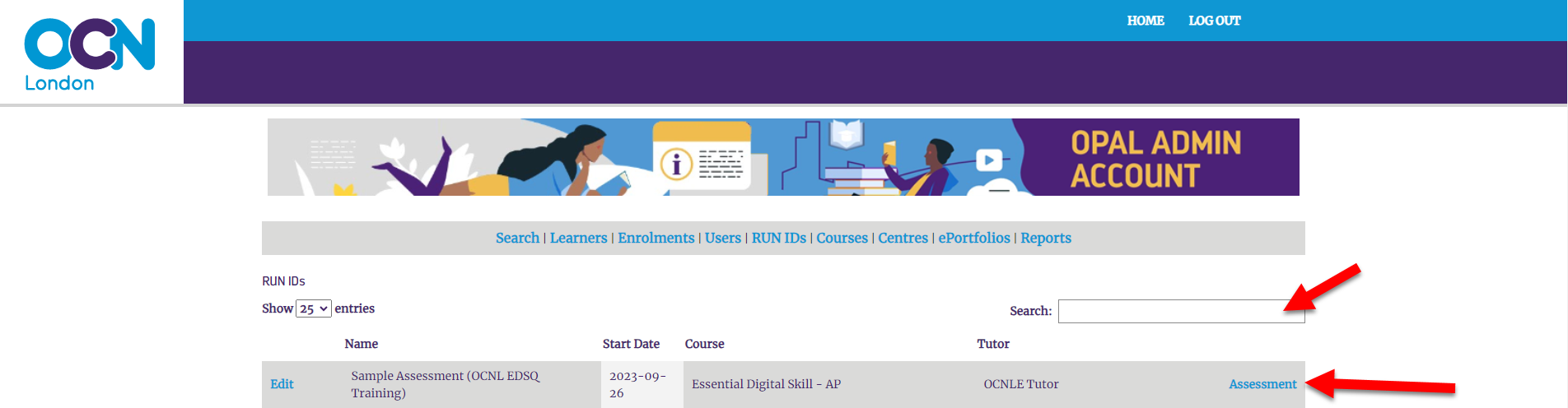
Step 6: Search the RUN ID, and click the Assessments Button
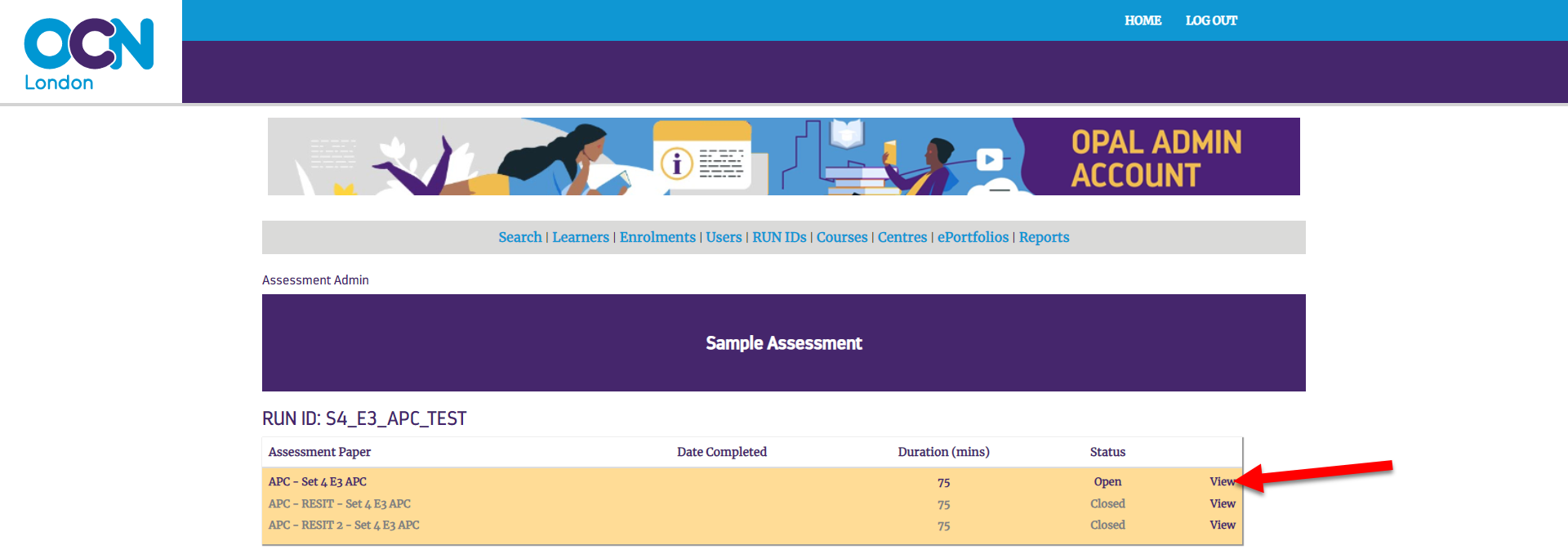
Step 7: Click the View Button
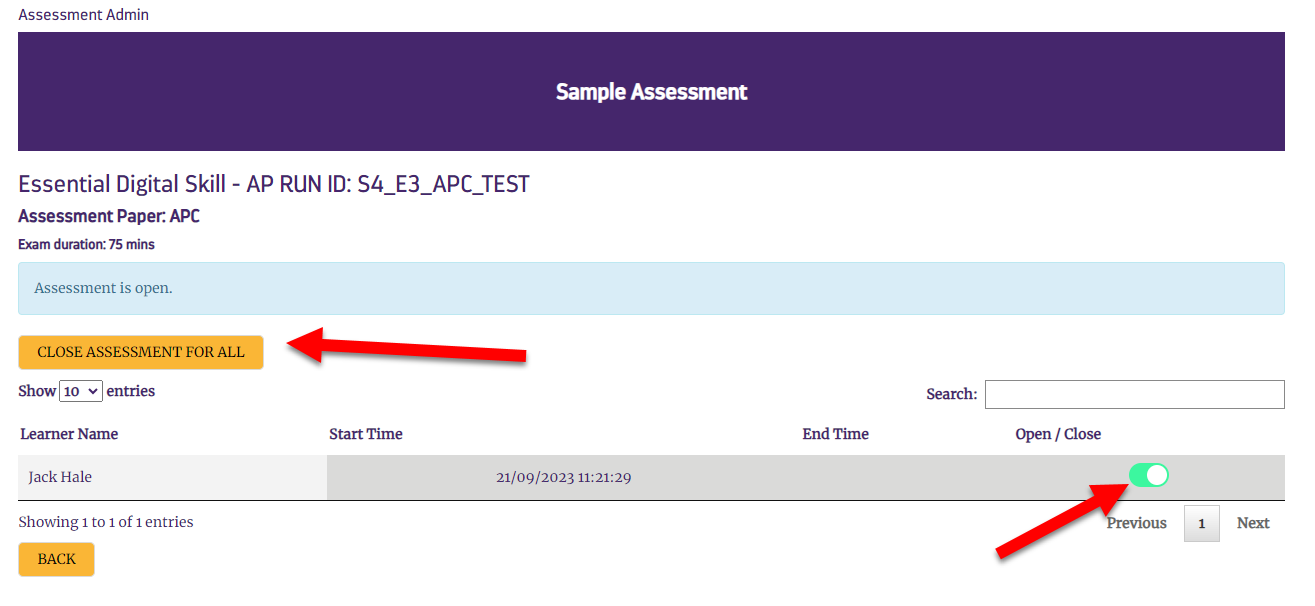
Step 8: Close or Open the Assessment for ALL users, or for individual users
Did you find it helpful?
Yes
No
Can you please tell us how we can improve this article?

 create new ticket
 check ticket status